driving · Free Online Game
Play Polytrack Online
Hit Play Now to launch Polytrack instantly in your browser — no download, no sign-up, free to play.
About Polytrack
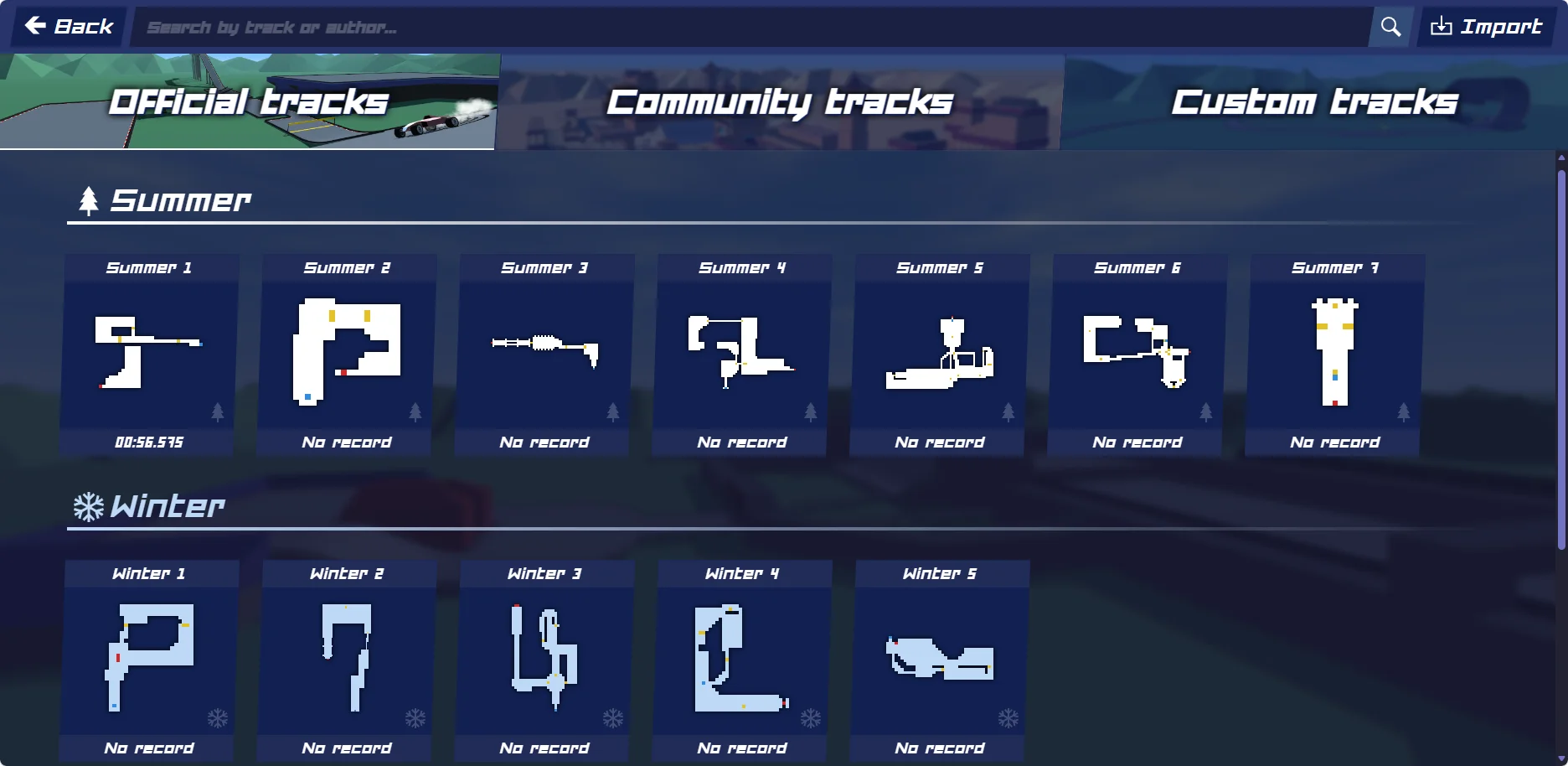
Polytrack is a fast-paced, low-poly 3D racing game that combines precision time-trial driving with a robust, custom level editor. Heavily inspired by the iconic TrackMania series, the game challenges you to guide a high-performance stunt car through dizzying loops, massive ramps, wall-rides, and challenging jumps to record the fastest lap time possible. Every split second counts: you race against the clock and competing ‘ghost’ replays of your own personal bests or other top players on the global leaderboards. The sophisticated physics engine demands careful momentum management, subtle drifting, and air-control adjustments so you land flat on all four wheels. Beyond pre-built racing tracks, Polytrack features an intuitive, in-game level editor. You can place modular blocks, boosters, loops, and obstacles to design the ultimate track, and then export and share your design codes with the global community. Whether you want to play Polytrack online free for a quick trial or design complex courses to challenge your friends, the game requires no downloads or installations, launching instantly inside your browser. Focus, steady steering, and learning the optimal racing line are the keys to climbing the ranks. Try Polytrack today and join a massive community of track builders and speedrunners.
How to Play Polytrack
Steer left or right using A/D or Left/Right arrow keys. Accelerate using W or Up Arrow, and brake/reverse with S or Down Arrow. Press Spacebar to drift or handbrake. In the air, use W and S to adjust your pitch (nose up or down) to land flat. Press R or Enter to instantly reset the vehicle to the last checkpoint.
Polytrack Features
- Low-poly 3D stunt racing
- Sophisticated physics & air control
- Built-in modular level track editor
- Time trials with leaderboard ghosts
- Shareable track design codes
- No download instant browser play
Polytrack FAQ
Is Polytrack free to play?
Yes. Polytrack is fully free to play online inside your web browser with no download or account required.
What are the controls for Polytrack?
Drive using WASD or Arrow Keys. Press Spacebar to drift, and use W/S in the air to balance the car's pitch. Press R or Enter to reset to the checkpoint.
How does the custom track editor work?
Click the level editor in the main menu to place ramps, loops, curves, and booster blocks. You can export your finished track as a text code or import codes shared by the community.
Why does my car flip over after jumps?
To avoid flipping, use the air-control system: press W to point the car's nose down or S to raise it, ensuring a flat landing on all four wheels to preserve momentum.
Can I play custom tracks from other players?
Yes. Copy a track code shared by the community, go to the custom tracks menu in the game, paste it, and load it instantly.
Is Polytrack multiplayer?
Yes. You can join real-time multiplayer lobbies to race ghosts and top times alongside other players online.
Related YouTube Videos
30 minutes of satisfying PolyTrack gameplay
PolyTrack Custom Track Showcase & Speedrun
Keep playing
Related games
driving
Drift Hunters
Play online free Play Drift Hunters online free. Tune cars, slide through corners, and score drift chains in an unblocked browser driving game with no download.
driving
Hill Climb Racing
Play online free
driving
Madalin Stunt Cars 2
Play online free
driving
Moto X3M
Play online free
puzzle
2048
Play online free
arcade
Agar.io
Play online free
sports
Basket Random
Play online free
action
Bloxd.io
Play online free
idle
Cookie Clicker
Play online free
puzzle
Cut the Rope
Play online free
arcade
Geometry Dash Lite
Play online free
action